
Free Facebook Font Generator
Type your text once and see it in 18 styles, from bold and italic to script and bubble letters. Copy the one you like and paste it into your post, comment or bio on Facebook.
Bold
𝐍𝐞𝐰 𝐯𝐢𝐝𝐞𝐨 𝐞𝐯𝐞𝐫𝐲 𝐅𝐫𝐢𝐝𝐚𝐲
Italic
𝑁𝑒𝑤 𝑣𝑖𝑑𝑒𝑜 𝑒𝑣𝑒𝑟𝑦 𝐹𝑟𝑖𝑑𝑎𝑦
Bold Italic
𝑵𝒆𝒘 𝒗𝒊𝒅𝒆𝒐 𝒆𝒗𝒆𝒓𝒚 𝑭𝒓𝒊𝒅𝒂𝒚
Sans Bold
𝗡𝗲𝘄 𝘃𝗶𝗱𝗲𝗼 𝗲𝘃𝗲𝗿𝘆 𝗙𝗿𝗶𝗱𝗮𝘆
Sans Italic
𝘕𝘦𝘸 𝘷𝘪𝘥𝘦𝘰 𝘦𝘷𝘦𝘳𝘺 𝘍𝘳𝘪𝘥𝘢𝘺
Sans Bold Italic
𝙉𝙚𝙬 𝙫𝙞𝙙𝙚𝙤 𝙚𝙫𝙚𝙧𝙮 𝙁𝙧𝙞𝙙𝙖𝙮
Script
𝒩ℯ𝓌 𝓋𝒾𝒹ℯℴ ℯ𝓋ℯ𝓇𝓎 ℱ𝓇𝒾𝒹𝒶𝓎
Bold Script
𝓝𝓮𝔀 𝓿𝓲𝓭𝓮𝓸 𝓮𝓿𝓮𝓻𝔂 𝓕𝓻𝓲𝓭𝓪𝔂
Gothic
𝔑𝔢𝔴 𝔳𝔦𝔡𝔢𝔬 𝔢𝔳𝔢𝔯𝔶 𝔉𝔯𝔦𝔡𝔞𝔶
Bold Gothic
𝕹𝖊𝖜 𝖛𝖎𝖉𝖊𝖔 𝖊𝖛𝖊𝖗𝖞 𝕱𝖗𝖎𝖉𝖆𝖞
Outline
ℕ𝕖𝕨 𝕧𝕚𝕕𝕖𝕠 𝕖𝕧𝕖𝕣𝕪 𝔽𝕣𝕚𝕕𝕒𝕪
Monospace
𝙽𝚎𝚠 𝚟𝚒𝚍𝚎𝚘 𝚎𝚟𝚎𝚛𝚢 𝙵𝚛𝚒𝚍𝚊𝚢
Small Caps
Nᴇᴡ ᴠɪᴅᴇᴏ ᴇᴠᴇʀʏ Fʀɪᴅᴀʏ
Bubble
Ⓝⓔⓦ ⓥⓘⓓⓔⓞ ⓔⓥⓔⓡⓨ Ⓕⓡⓘⓓⓐⓨ
Square
🄽🄴🅆 🅅🄸🄳🄴🄾 🄴🅅🄴🅁🅈 🄵🅁🄸🄳🄰🅈
Wide
New video every Friday
Strikethrough
N̶e̶w̶ v̶i̶d̶e̶o̶ e̶v̶e̶r̶y̶ F̶r̶i̶d̶a̶y̶
Underline
N̲e̲w̲ v̲i̲d̲e̲o̲ e̲v̲e̲r̲y̲ F̲r̲i̲d̲a̲y̲
How to change the font on Facebook
- 1
Type or paste your text.
- 2
Find a style you like in the list.
- 3
Press Copy beside it.
- 4
Paste it into your Facebook post, comment or bio.
Where you can use fonts on Facebook
The styled text pastes into most places on Facebook, with two exceptions.
| Where | Does it work? |
|---|---|
| Posts and comments | Yes. Best for a heading or a single word. |
| Bio and intro | Yes. A styled word or line helps it stand out. |
| Page "About" text | Yes, but search may not find styled words, so keep the words people search for plain. |
| Page name | No. Facebook asks for a plain name, and it is what people search for. |
| Username | No. A Facebook username allows only letters, numbers and full stops. |
| Hashtags | No. A styled letter breaks the hashtag, so it won't link. |
What Facebook fonts really are
Facebook doesn't let you choose a font in a post. These styles work because they aren't fonts at all.
Special characters, not a font
Unicode, the list of every character computers can show, includes whole alphabets of bold, italic, script and outlined letters, made for maths. The generator swaps each of your letters for its styled twin. The result is ordinary text, so it pastes into any app, including Facebook.
Make the first line stand out
A bold or script opening line catches the eye in a feed of plain text. Keep it short, and keep the rest of the post plain so that it stays easy to read.
Use them for a word or a line
Screen readers, which read the screen aloud for people who can't see it, may spell styled letters out one by one, or skip them. Facebook search may not match them to plain words either. To style words and lists inside a longer post, try the Facebook text formatter.
Questions, answered
How do I change the font in my Facebook bio?
Type your text into the generator, press Copy beside the style you like, then paste it into the Bio field when you edit your profile details. The styled text stays as it is when you save.
Can I use a different font in a Facebook post?
Yes, by pasting styled text. Facebook has no font menu in posts, so the styled letters are special characters copied from this page.
Why do some letters look different from the rest?
A few styles are missing some letters. Numbers, accented letters and punctuation stay plain in most styles, and Square has capitals only, because Unicode has no styled versions of those characters.
Why do I see boxes instead of letters?
An older phone or computer may not have these characters, and shows a box instead. Most phones from the last few years show them all.
How many fonts are there?
18: Bold, Italic, Bold Italic, Sans Bold, Sans Italic, Sans Bold Italic, Script, Bold Script, Gothic, Bold Gothic, Outline, Monospace, Small Caps, Bubble, Square, Wide, Strikethrough, Underline.
Is my text sent anywhere?
No. The generator works in your browser, so your text stays on your computer until you paste it.
Is the Facebook font generator free?
Yes. It is free, with no login and no limit.
More free tools

Instagram Feed Planner
Arrange your next posts on a copy of your profile grid, split a wide photo into tiles, and download them in posting order.
- 987654321
Instagram Grid Maker
Split one photo into 3, 6, 9 or 12 posts that join up on your profile, numbered in the order to post them.
- 1080 × 1350
Instagram Photo Resizer
Crop a photo to the exact size Instagram uses for posts, Stories, Reels and profile pictures, then download it.
- Seven days in Lisbon on a small budgetCasualShort3–5
Caption 1
Seven days, one small budget and too many pastries. Lisbon, you were worth it. ✈️
#LisbonTravel #BudgetTravel #TravelCreator
Instagram Caption Generator
Describe your post, pick a tone and a length, and get three captions with hashtags, ready to post.
Specific
#LisbonTravel#LisbonGuide#AlfamaTopic
#BudgetTravel#SoloTravelBroad
#Travel#Wanderlust4 of 5 picked
Instagram Hashtag Generator
Paste your caption and get hashtag ideas from specific to broad, then pick the five that fit your post.
- 128posts4,210followers312following
Zoe Hart
Budget travel, one city at a time ✈️ A new guide every month See the latest below 👇
83/150
Instagram Bio Generator
Describe your account and pick a tone, and get three bios that fit Instagram's 150-character limit.
- @zoeoutthereCopy@zoeoutthere.travelCopied@zoe.goesCopy@zoe_travelsCopy
Instagram Username Generator
Describe your account and get ten username ideas that follow Instagram's rules, ready to check and copy.
zoeoutthereThe Lisbon guide is finally here. ✈️
blank line kept
Seven days, every stop, and what it all cost.
blank line kept
Where should I go next? 👇
Instagram Line Break Generator
Keep the blank lines in your caption: preview it as Instagram shows it, and copy a version whose spacing survives posting.
Followers
4,210
Likes
118
Comments
10
Engagement rate
3.04%
Good
Instagram Engagement Rate Calculator
Enter a post's likes, comments, saves and shares to see its engagement rate, and how it compares.
- Copy
Bold
𝐙𝐨𝐞 𝐇𝐚𝐫𝐭
CopyScript
𝒵ℴℯ ℋ𝒶𝓇𝓉
CopyOutline
ℤ𝕠𝕖 ℍ𝕒𝕣𝕥
CopyBubble
Ⓩⓞⓔ Ⓗⓐⓡⓣ
Instagram Font Generator
Type once and copy your text in 18 styles, from bold and script to bubble letters, for your bio or captions.
Hook
This is why your travel videos get no views.
Point 1
You open on a wide shot. Start on a face or a surprise.
Call to action
Send this to the friend you travel with.
About 30 seconds spoken
Instagram Reels Script Generator
Describe your Reel and get a script to film, with a hook, the main points and a reason to share or save it.
Instagram Reels Safe Zone Checker
Put a frame from your Reel under Instagram's buttons and caption, and see what they cover before you post.
- 1640 × 624
Facebook Photo Resizer
Crop a photo to the exact size Facebook uses for posts, Stories, covers and profile pictures, then download it.
Zoe Hart
Just now
The Lisbon guide is out. Where should I go next?
LikeCommentShareFacebook Caption Generator
Describe your post, pick a tone and a length, and get three Facebook captions that give people something to reply to.
Zoe Hart
Intro
Budget travel guides, one city at a time. Come and see where I go next
70/101
Facebook Bio Generator
Describe your Page or profile and pick a tone, and get three bios that fit Facebook's 101-character limit.
- facebook.com/zoeoutthereCopyfacebook.com/zoeoutthere.travelCopiedfacebook.com/zoegoesCopyfacebook.com/zoetravelsCopy
Facebook Username Generator
Describe your Page and get ten username ideas for its web address that follow Facebook's rules.
- Budget Travel Europe20/75 charactersCopiedLost & Loving It: Budget Travel31/75 charactersCopyThe Weekend Trip Club21/75 charactersCopy
Facebook Group Name Generator
Describe your group and who it's for, and get ten names that people will find when they search Facebook.
- BoldItalicUnderline• Bullets
𝐋𝐢𝐯𝐞 𝐐&𝐀 𝐭𝐡𝐢𝐬 𝐒𝐮𝐧𝐝𝐚𝐲
𝐿𝑖𝑣𝑒 𝑄&𝐴 𝑡ℎ𝑖𝑠 𝑆𝑢𝑛𝑑𝑎𝑦
L̲i̲v̲e̲ Q̲&̲A̲ t̲h̲i̲s̲ S̲u̲n̲d̲a̲y̲
• Lisbon guide, out now
• Seven days for $600
Facebook Text Formatter
Write your post, select words and make them bold, italic, underlined or struck through, or turn lines into a list.
- 1600 × 900
X (Twitter) Photo Resizer
Crop a photo to the exact size X uses for posts, your header and your profile picture, then download it.
- Reached 48K followers after posting every day for a monthCasualShortNo hashtags
Tweet 1
Posted every day for 30 days. 12K to 48K followers, and my first brand deal.
76/280
Tweet Generator
Describe what you want to say, pick a tone and a length, and get three posts that fit X's 280 characters.
Zoe Hart
@zoeoutthere
Budget travel, one city at a time. Posts about how I grew an audience and what it pays.
87/160
X (Twitter) Bio Generator
Describe your account and pick a tone, and get three bios that fit X's 160-character limit.
- 1
A year of posting travel videos taught me five things about getting paid. 1/6
- 2
First, price for your time. A 30-second video takes me two days, not an afternoon. 2/6
- 3
Second, show the numbers. Brands reply faster when they can see your reach. 3/6
X (Twitter) Thread Maker
Paste a long draft and split it into numbered posts that fit 280 characters, ready to copy one by one.
- The Lisbon guide is out. Seven days, every place I stayed and what it all cost. ✈️ posttyy.com/tools
174 characters left
106 / 280 characters used · link counted as 23
X (Twitter) Character Counter
Count your post the way X does, with links as 23 and emoji as 2, and see how many characters you have left.
- Copy
Bold
𝐙𝐨𝐞 𝐇𝐚𝐫𝐭
CopyScript
𝒵ℴℯ ℋ𝒶𝓇𝓉
CopyOutline
ℤ𝕠𝕖 ℍ𝕒𝕣𝕥
CopyBubble
Ⓩⓞⓔ Ⓗⓐⓡⓣ
X (Twitter) Font Generator
Type once and copy your text in 18 styles, from bold and script to bubble letters, for your posts and bio.
- BoldItalicUnderline• Bullets
𝐋𝐢𝐯𝐞 𝐐&𝐀 𝐭𝐡𝐢𝐬 𝐒𝐮𝐧𝐝𝐚𝐲
𝐿𝑖𝑣𝑒 𝑄&𝐴 𝑡ℎ𝑖𝑠 𝑆𝑢𝑛𝑑𝑎𝑦
L̲i̲v̲e̲ Q̲&̲A̲ t̲h̲i̲s̲ S̲u̲n̲d̲a̲y̲
• Lisbon guide, out now
• Seven days for $600
X (Twitter) Text Formatter
Write your post, select words and make them bold, italic, underlined or struck through, and see the count as X does.
Zoe Hart @zoeoutthere
The Lisbon guide is out.
7 days in Lisbon for $600From zoeoutthere.com
Twitter/X Card Preview Tool
Paste a link and see the card X will show for it, inside a post, before you share it.
zoeoutthere
7 days in Lisbon for $600. Worth it? 👀
#LisbonTravel #BudgetTravel #TravelTok
TikTok Caption Generator
Describe your video, pick a tone and a length, and get three captions with the words people search for on TikTok.
Specific
#SourdoughRecipe#SourdoughStarterTopic
#BreadTok#HomeBakingBroad
#Baking#Recipes4 of 5 picked
TikTok Hashtag Generator
Paste your caption or describe your video, and pick three to five hashtags from specific to broad.
@zoeoutthere
312Following8,940Followers51.2KLikesBudget travel ✈️ A new city every month
39/80
TikTok Bio Generator
Describe your account and pick a tone, and get three bios that fit TikTok's 80-character limit.
- @zoeoutthereCopy@zoe.goesCopy@zoeoutthere_Copied@zoeoutthere.travelCopy
TikTok Username Generator
Describe your account and get ten username ideas that follow TikTok's rules, ready to check and copy.
Hook
Seven days, one city, $600.
Point 1
Stay in Alfama and walk everywhere. It costs nothing.
Call to action
Follow for the full cost breakdown.
About 30 seconds spoken
TikTok Video Script Generator
Describe your TikTok and get a script to film: a hook for the first two seconds, the main points and a call to action.
TikTok Safe Zone Checker
Put a frame from your video under TikTok's buttons and caption, and see what they cover before you post.
Followers
8,940
Likes
642
Comments
31
Engagement rate
7.53%
Good
TikTok Engagement Rate Calculator
Enter a video's likes, comments, shares and saves to see its engagement rate by followers or by views.
- 1584 × 396
LinkedIn Photo Resizer
Crop a photo to the exact size LinkedIn uses for posts, your background, company covers and profile pictures.
Post 1
We lost our biggest client last March. It was the best thing that happened to us.
They were 60% of our income. We had six weeks of savings, so we made a plan.
…see more
LinkedIn Post Generator
Describe your post, pick a tone and a length, and get three LinkedIn posts with a hook that shows before "see more".
About
I'm a product designer who helps small software teams ship apps people actually use. I work with founders from first sketch to launch.
135/2,000
LinkedIn Bio Generator
Describe yourself or your business and pick a tone, and get three About sections that fit LinkedIn's limits.
- Copy
Bold
𝐙𝐨𝐞 𝐇𝐚𝐫𝐭
CopyScript
𝒵ℴℯ ℋ𝒶𝓇𝓉
CopyOutline
ℤ𝕠𝕖 ℍ𝕒𝕣𝕥
CopyBubble
Ⓩⓞⓔ Ⓗⓐⓡⓣ
LinkedIn Font Generator
Type once and copy your text in 18 styles, from bold and script to bubble letters, for your posts and headline.
- BoldItalicUnderline• Bullets
𝐋𝐢𝐯𝐞 𝐐&𝐀 𝐭𝐡𝐢𝐬 𝐒𝐮𝐧𝐝𝐚𝐲
𝐿𝑖𝑣𝑒 𝑄&𝐴 𝑡ℎ𝑖𝑠 𝑆𝑢𝑛𝑑𝑎𝑦
L̲i̲v̲e̲ Q̲&̲A̲ t̲h̲i̲s̲ S̲u̲n̲d̲a̲y̲
• Lisbon guide, out now
• Seven days for $600
LinkedIn Text Formatter
Write your post, select words and make them bold, italic, underlined or struck through, or turn lines into a list.
- 1000 × 1500
Pinterest Pin Resizer
Crop a photo to Pinterest's 2:3 pin size, a square or a tall pin, or your profile cover, then download it.
- 3840 × 2160
YouTube Thumbnail & Banner Resizer
Crop a picture to YouTube's thumbnail and channel banner sizes, or a square profile picture, then download it.
Alt text · 81
A yellow tram climbing a narrow cobbled street between white buildings in Lisbon.
Alt Text Generator
Upload a photo and get alt text for it, short and detailed, ready to paste into Instagram, X, LinkedIn or your website.
Caption 1
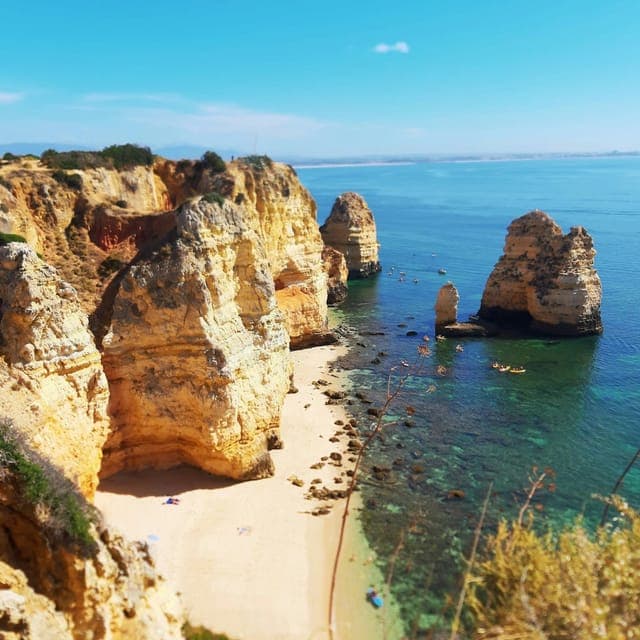
Golden cliffs, clear water, and one more beach to find. 🌊
Where are you going this summer?
Image Caption Generator
Upload a photo, pick a tone, and get three social media captions written about what's in it.
Description
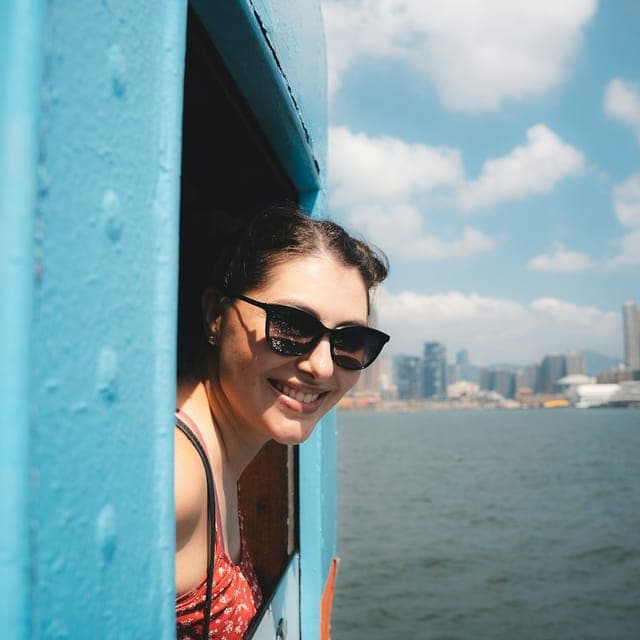
A woman in sunglasses leans out of a bright blue window on a boat and smiles. Behind her are calm water and a city skyline under scattered clouds.
Image Description Generator
Upload a picture and get a clear written description of it, brief or detailed, for listings, posts or records.
Text in your picture
LISBON GUIDE
7 days · $600
Zoe Hart
Image to Text Converter
Upload a screenshot, photo or scan and copy the text in it, with its line breaks kept.
Schedule your styled posts with Posttyy
Paste your post into a new one, pick a time, and Posttyy publishes it to your Facebook Page for you.
7 days free, then from $19 a month.