

Pinterest is a search engine with pictures. People go there to plan: what to cook, where to travel, what to buy. A good pin keeps sending visitors to your website for months after you post it. That makes Pinterest one of the best free ways to get traffic.
Growing on Pinterest comes down to three things. Post often and steadily. Make pins that catch the eye. Make pins that people want to click. This guide covers each one, then shows how Posttyy does the work for you.
1. Post consistently
Pinterest rewards accounts that pin often and at a steady pace. Each new pin is one more chance to show in a search. An account that pins every day gives Pinterest a lot to show. An account that pins 30 times one weekend and then stops for a month gives it very little.
- Pin a little every day. 1 to 5 new pins a day is enough for most accounts. A steady pace matters more than a high number. See how many pins to post per day.
- Make fresh pins. Pinterest prefers pictures it has not seen before. Make several different pins for each page, not the same pin again and again. See what a fresh pin is.
- Give it time. A pin can take weeks to find its audience. Growth on Pinterest is slow at first and then builds. Accounts that keep going are the ones that grow.
This is the hard part. Pinning every day is easy for one week. It is hard for six months, when you also have a website or a shop to run.
2. Make pins people stop for
On Pinterest, the picture is everything. People scroll fast through a wall of images. Your pin has about a second to make them stop.
- Use the tall shape. A pin of 1,000 × 1,500 pixels (a 2:3 shape) takes up more of the screen than a square one. See the Pinterest pin size guide.
- Use bright, clear photos. One strong photo works better than a busy one. Light photos with good contrast stand out.
- Put a headline on the picture. Large, bold words tell people what the pin is about before they read anything else. Keep them short.
- Try different layouts. Change the photo, the colours and where the words sit. You will learn which looks your audience likes best.
3. Make pins people want to click
A pin that people look at but do not click does not grow your website. A pin earns the click when it promises something useful and the page keeps that promise.
- Promise a clear result. “10 things to do on a city break” tells people what they get. “My trip” does not.
- Write titles people search for. Use the words people type into Pinterest's search. Pinterest reads your title and description to decide which searches your pin shows in. See how to write pin titles and descriptions.
- Link to the right page. Send people to the page the pin is about, not to your home page.
- Use the right board. Pinterest reads the board name too. Put a recipe pin on a recipe board.
How Posttyy makes it easy
Everything above takes time. Design the pins, write the words, pick the board, post every day. Posttyy does that work for you, so you can spend your time on your website and make it the best it can be.
Make many pins from one link
Open Bulk pins and paste a link to a page on your website. Press Get photos. Posttyy reads the page for its photos and its title, and makes up to 30 pins. Each pin has a different photo and a different layout, so every one is a fresh pin.
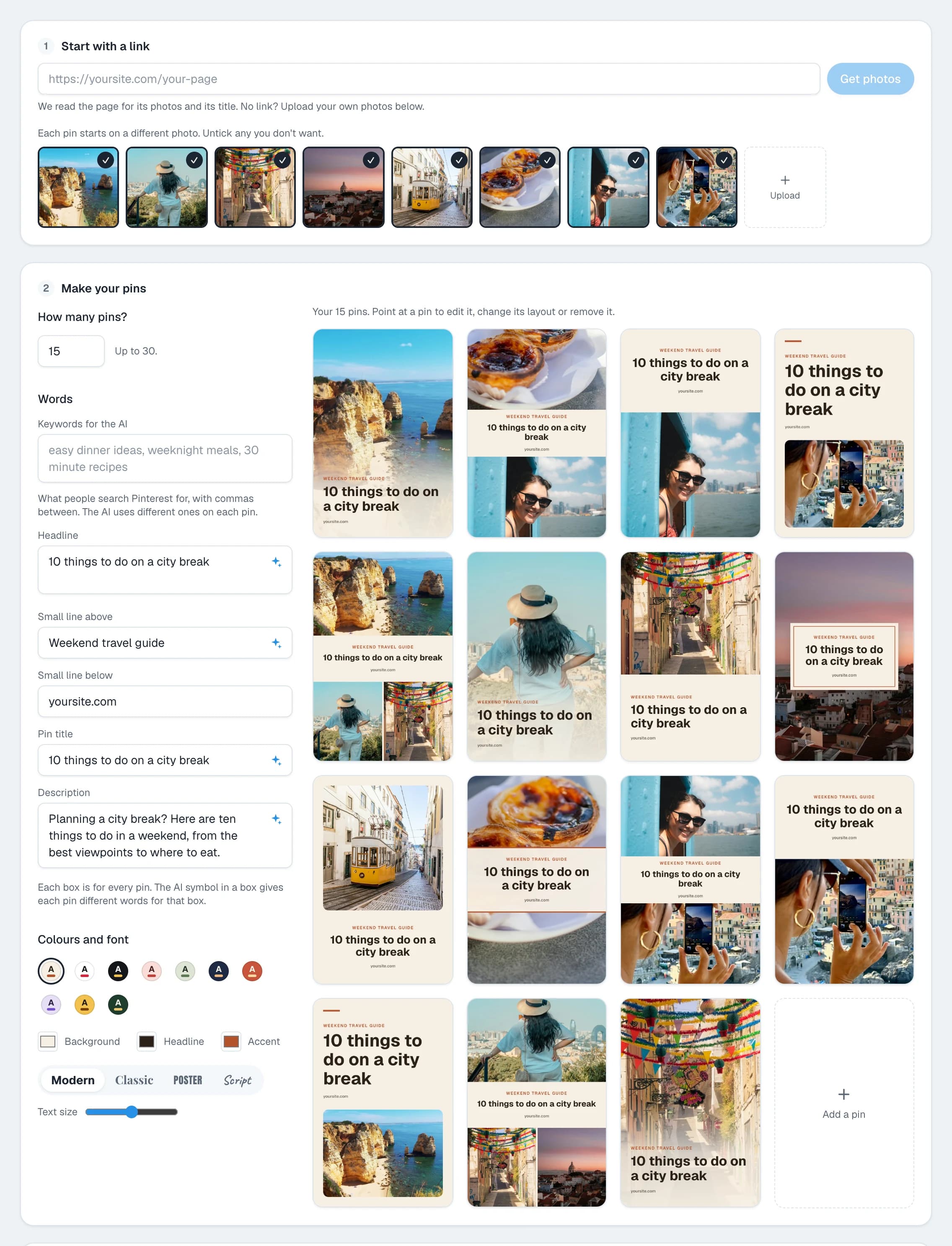
Want each pin to show for a different search? Type your keywords and click Write with AI. Posttyy writes a different title and description for each pin. The AI runs only when you click.
Design one pin that stands out
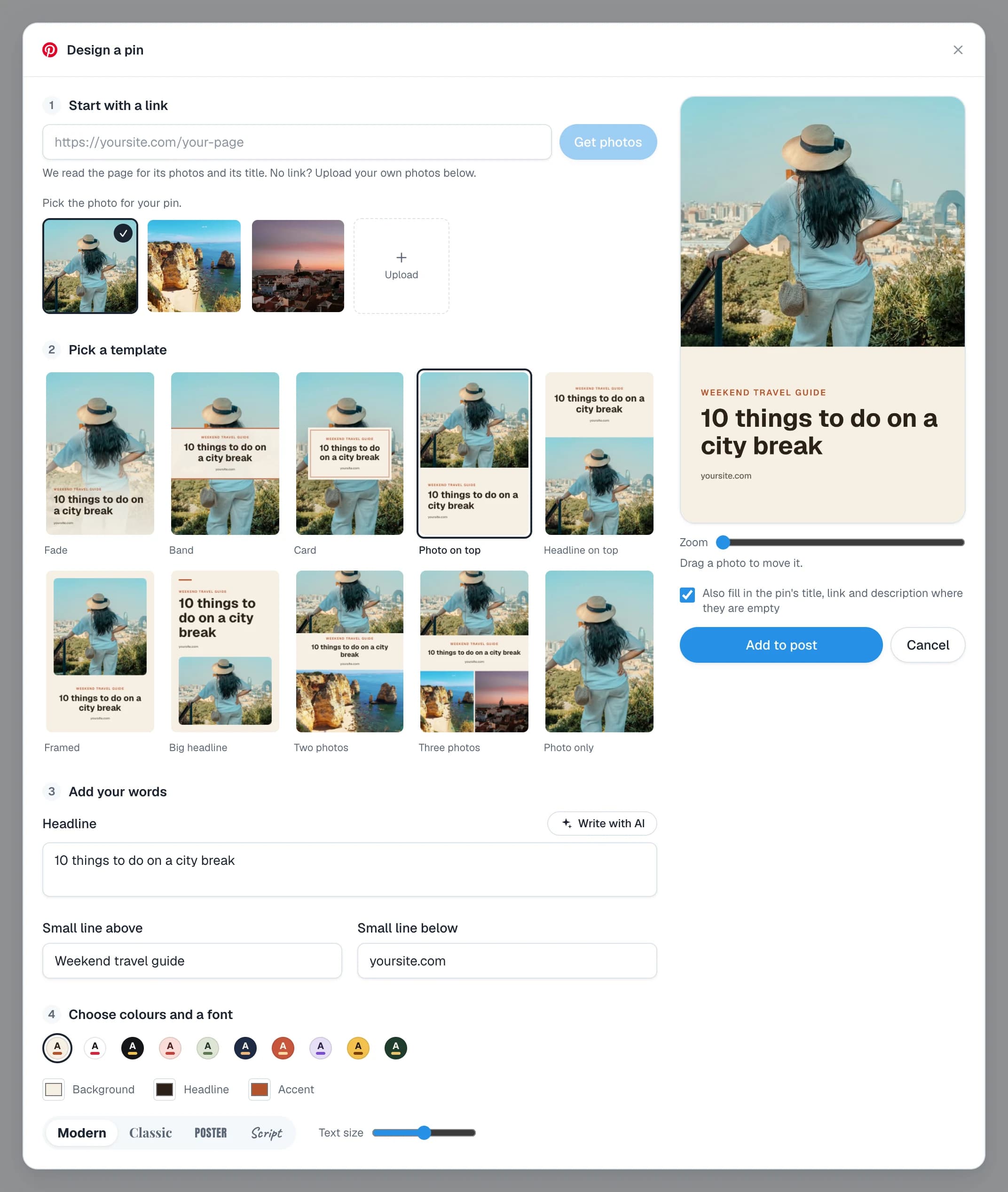
For a single pin, open Design a pin. Pick a photo, pick one of ten templates, add your headline and choose your colours and font. You see the pin change as you work. No design tool needed.
Post every day without doing it every day
This is how Posttyy keeps you consistent. Choose a board, a start day, how many Pins a day and the hours to post between. Posttyy spreads the pins over the coming days. It also moves each time by a few minutes, so your pins do not go out like clockwork.
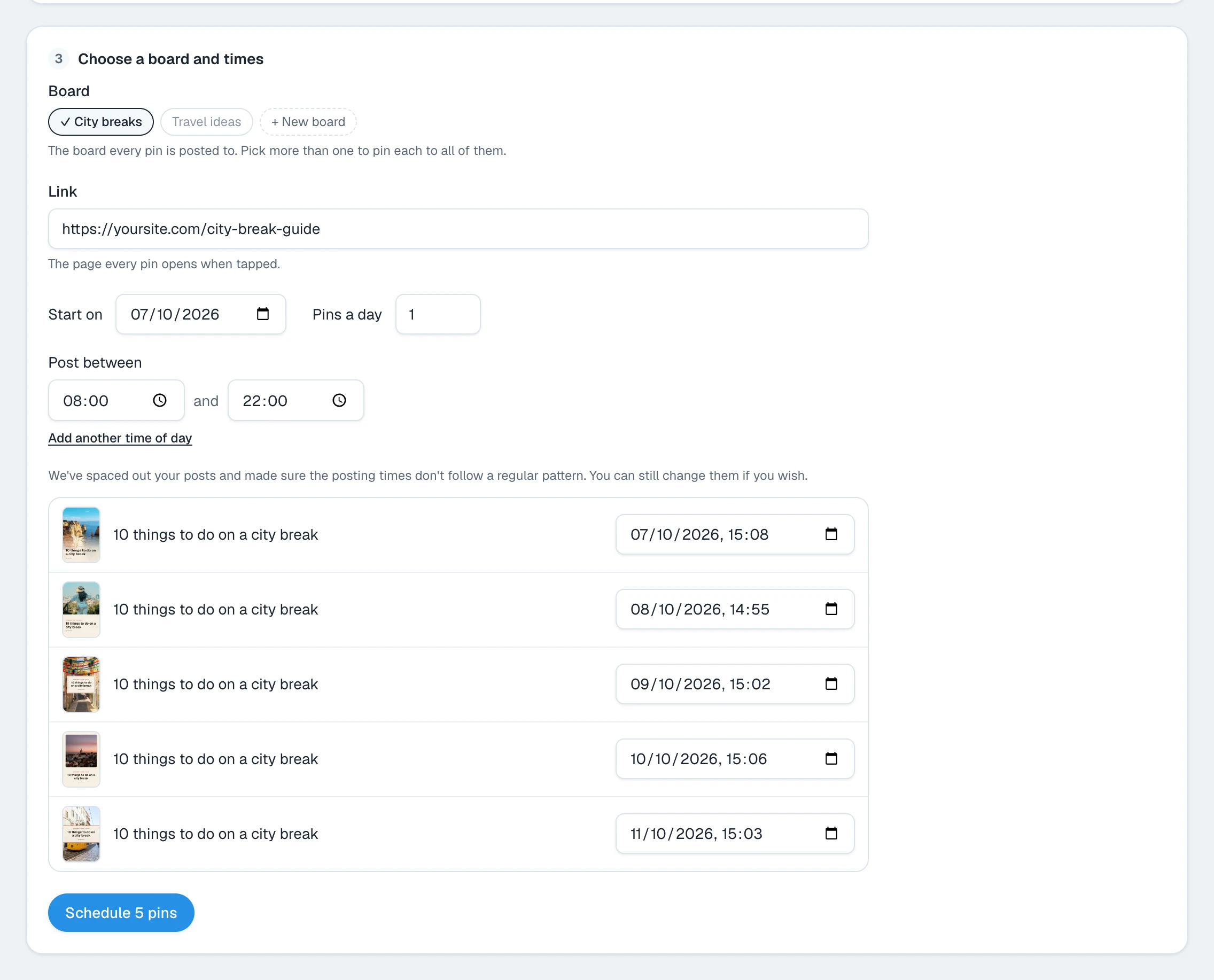
Press the button at the bottom, such as Schedule 5 pins, and you are done. Posttyy posts each pin to your board at its time, with your link on it. Do this for a few pages and you have weeks of pins ready to go. Your account keeps growing while you work on something else.
The short version
- Post new pins every day, at a steady pace.
- Make tall pins with bright photos and a bold headline.
- Promise something useful and link to the right page.
- Let Posttyy make and post the pins, so you can focus on your website.
For a full plan for a blog, read how to get blog traffic from Pinterest. For a shop, read Pinterest for Etsy sellers.