
How to schedule Facebook posts: a step-by-step guide
You can schedule posts to your Facebook Page so they publish on their own, at the time you pick. This guide shows you how to do it step by step with Posttyy, which also sends the same post to Instagram, X, LinkedIn and YouTube, and how Meta Business Suite compares.
The quick answer
- Sign up for Posttyy and connect your Facebook Page.
- Press New post and tick your Page.
- Write your post and add photos or a video.
- Pick a date and time, then press Schedule post.
Before you start: you need a Facebook Page
Facebook only lets apps post to Pages, not to personal profiles or groups. That's Facebook's rule for every scheduling tool. If you don't have a Page yet, you can make one for free on Facebook in a few minutes. Your Facebook login must manage the Page, as an admin or with full control.
Step 1: Sign up and connect your Page
- Go to posttyy.com and create your account. You get 7 days free.
- Open Connected socials and choose Facebook Page.
- Sign in with Facebook.
- When Facebook asks which Pages Posttyy may use, tick every Page you want to post to.
- If you manage more than one Page, Posttyy asks which ones to add. Each Page becomes its own account in Posttyy.
Posttyy posts through Facebook's official API, which Meta approved it to use. It never sees your Facebook password. Pages held in Business Manager work too.
Step 2: Start a new post
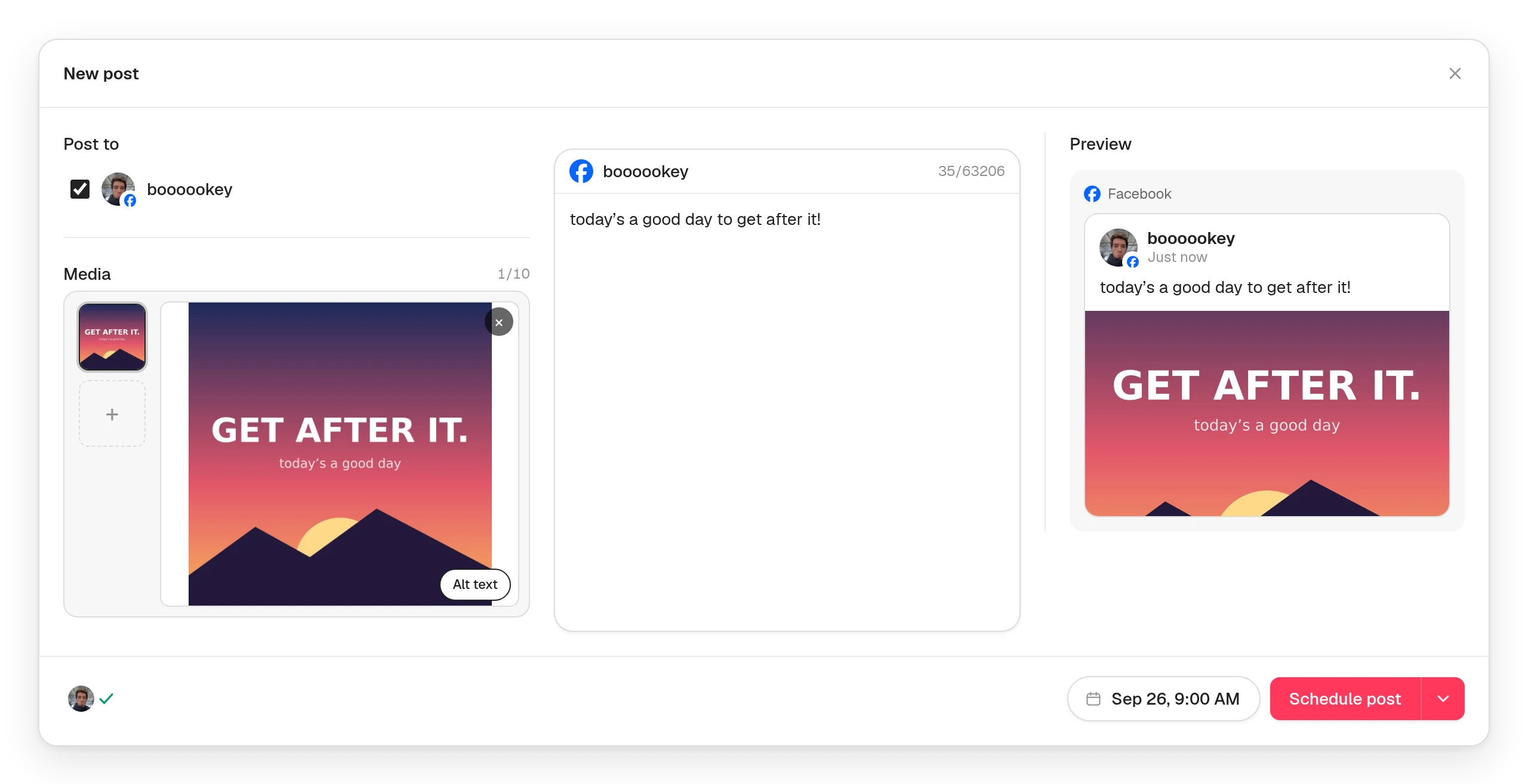
Press New post in the sidebar, or click a day on the calendar. Under Post to, tick your Facebook Page.
Step 3: Write your post
Type your post in the caption box. Facebook has no practical length limit, so write as much as the post needs. The first two or three lines show before “See more”, so put the most important part first.
Step 4: Add photos or a video (optional)
A Facebook post can be:
- Words only. No photo needed.
- Up to 10 photos, each up to 5 MB. Posttyy shrinks bigger ones and turns WebP photos into JPEG for you.
- One video, up to 512 MB.
GIFs aren't offered for Facebook. Facebook would only publish the first frame.
Step 5: Pick a time and schedule
- Choose the date in the composer's calendar and type the time.
- Press Schedule post.
The post goes on your calendar and publishes at that minute, even if you're offline. Changed your mind? Drag it to another day, or open it and edit it.
Step 6: Send it to Instagram too (optional)
Tick your Instagram account on the same post, and it goes out on both at the same time. Instagram needs a photo or video, and a Business or Creator account. Our guide to scheduling Instagram posts shows how to switch. Hashtags also work better there than on Facebook. Turn off Use the same caption for all platforms to write a different caption for each one.
Method 2: Meta Business Suite
Meta has a free scheduler of its own. To use it:
- Go to Meta Business Suite and choose your Page.
- Click Create post.
- Write your post and add your media.
- Under the scheduling options, choose to schedule it, and pick a date and time.
- Click Schedule.
Business Suite is a good choice if Facebook and Instagram are the only places you post. It can't post to X, LinkedIn or YouTube, so if you use any of those you'll be planning in two places. Posttyy puts all of them on one calendar.
Tips for scheduled Facebook posts
- Post once a day at most. On a Page, 3 to 5 good posts a week beat a flood of weak ones.
- Start with 9am to 1pm on weekdays in your followers' time zone, then adjust.
- Use photos and video. Posts with a picture stop the scroll far more often than words alone.
- Ask a question. Comments push a post to more people. Reply to them, too.
Common questions
Can I schedule posts to my personal Facebook profile?
No. Facebook only lets apps publish to Pages. If you don't have a Page, you can make one for free.
Can I schedule to Facebook groups, Stories or Reels?
Not with Posttyy. It publishes Page posts: words on their own, up to 10 photos, or one video.
I added a new Page. Why can't I see it?
Connect Facebook again from Connected socials and tick the new Page. Facebook asks which Pages to share each time you connect.
Can I schedule to more than one Page?
Yes. Each Page counts as one connected account. Starter connects 2, Growth connects 10, and Pro has no limit.
Does Posttyy reply to comments or messages?
No. Posttyy schedules and publishes your posts. You reply on Facebook.
More on how Posttyy works with Facebook is on the Facebook Page scheduler page. Scheduling to other networks too? See how to schedule social media posts.